PDF export loses rectangles

Post questions on how to use or achieve an effect in Inkscape.
amagidow
Posts: 2
Joined: Thu Apr 25, 2013 3:32 am

PDF export loses rectangles

Postby amagidow » Thu Apr 25, 2013 3:59 am

Hi,

I'm rather new to Inkscape and this forum so please bear with me. I created a drawing which I need to include in my dissertation, which is written in XelateX. I therefore cannot really use .eps files, and prefer to use PDF files for my figures. My drawing contains text, lines, and rectangles. When I export the file to PDF, however, all the rectangles (made with the :tool_rectangle: tool) disappear for some reason - that is to say, the PDF only shows the text and the lines when viewed in Acrobat Reader X (10.1.4)

I'm using Inkscape 0.48.2 r9819. I used the built in PDF export function, for a PDF v. 1.4 (Xelatex can't handle 1.5), the only option chosen was "export area is page."

I've attached both the .svg and the .pdf files.

Thank you for you assistance!
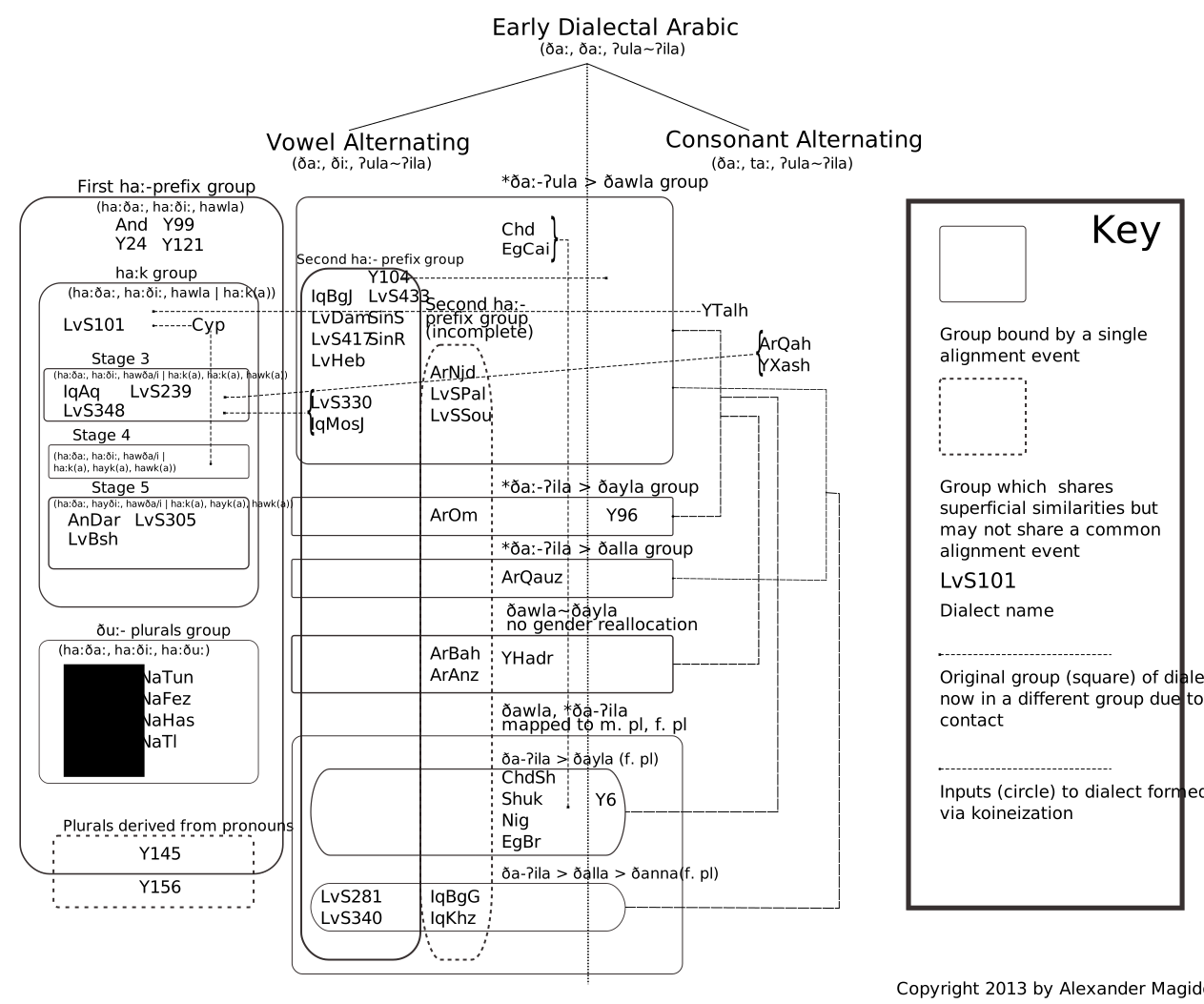
Attachments
DialectHistoryChart.pdf
PDF file - no rectangles showing
(75.12 KiB) Downloaded 145 times
DialectHistoryChart.svg
SVG source file
(78.46 KiB) Downloaded 136 times

Lazur
Posts: 4717
Joined: Tue Jun 14, 2016 10:38 am

Re: PDF export loses rectangles

Postby Lazur » Thu Apr 25, 2013 11:05 am

Viewed the pdf on acrobat reader 9.5.2 they do show up on my machine.
But not when opened with inkscape.
You shouldn't worry much about that, save to pdf only for printing material. Inkscape can really mess things up if you want to edit pdf-s.

Compared the two files together, the svg's version's text doesn't mach with the pdf in font and size.
Guessing that's because my machine doesn't have that font you used originally, which got embedded to the pdf.

amagidow
Posts: 2
Joined: Thu Apr 25, 2013 3:32 am

Re: PDF export loses rectangles

Postby amagidow » Thu Apr 25, 2013 12:09 pm

You're right...I think this needs to be filed as a problem with Acrobat X rather than with Inkscape. I finally dug up whatever version of Foxit reader I had installed, and that seems to work. In fact, I worked with the LaTeX file, and once that was compiled, the image even renders properly in Acrobat X.

Sorry, I should have done a bit more diligence in sniffing around the problem.

Anyway, I'm really enjoying working with Inkscape to create many of my figures for my dissertation. Wonderful to have so many FOSS options available these days.


Return to “Help with using Inkscape”