 This is a read-only archive of the inkscapeforum.com site. You can search for info here or post new questions and comments at
 Hi there,
First post, so I hope not to mess up. I am pretty good with computer but I lack experience with inkscape. I did the tutorials years ago so I hope my question is not too easy or dumb.
I want to create a path that would be the outline of various objects. On my exemple it would be various straight curve passing through the external points. Everything is straight, it looks easy but I dont manage. I tried object to path but then I dont find any correct way to extract only the edges I need.
Any idea?
Extract edges from objects?
Extract edges from objects?
- Attachments
-
- Lightningexemple.svg
- (3.53 KiB) Downloaded 154 times

Re: Extract edges from objects?
Welcome aboard!
Use the snapping feature.
Enable snapping to cusp nodes.
http://tavmjong.free.fr/INKSCAPE/MANUAL/html/Snapping.html

Good luck!
Use the snapping feature.
Enable snapping to cusp nodes.
http://tavmjong.free.fr/INKSCAPE/MANUAL/html/Snapping.html
Good luck!
Re: Extract edges from objects?
That option is brilliant, I got all I wanted in a couple of minutes.
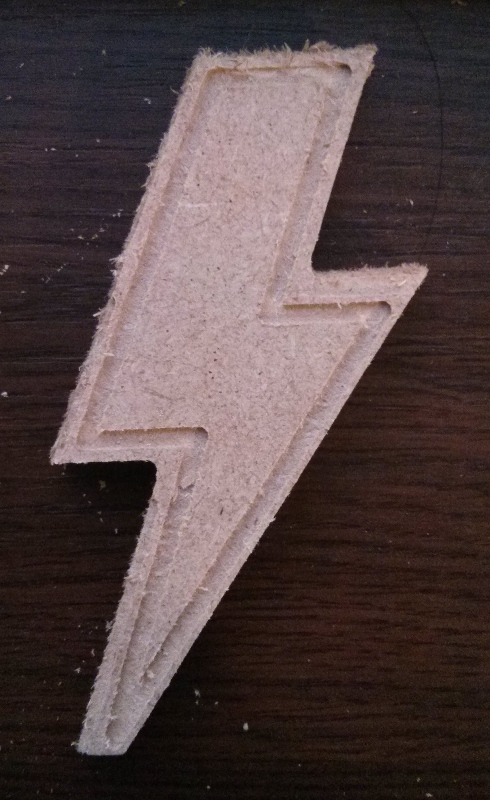
I manage to did that. I still need some tweaking to get it perfect, but here it is, from Inkscape to wood...
I manage to did that. I still need some tweaking to get it perfect, but here it is, from Inkscape to wood...
- Attachments
-
- IMG_20131204_234023.jpg (208.36 KiB) Viewed 914 times