 This is a read-only archive of the inkscapeforum.com site. You can search for info here or post new questions and comments at
 Finding Different Objects Having The Same Style
Finding Different Objects Having The Same Style
I have been attempting to use the find dialog to select one of two objects with the exact same style. The difference between the two ojects is the relative size. I have been experimenting, with no luck on a file that has only the two objects. The real file contains hundreds of each object overlaping each other. To manually click the correct ones would take many hours. I have attached my test file for review. I have read Tavmjong Bah's fourth edition Inkscape manual, but I have not found a solution that works. Has anyone run into this before? Any info would be greatly appreciated. p.s. I am a newbie
- Attachments
-
- Temp.svg
- (2.18 KiB) Downloaded 158 times

Re: Finding Different Objects Having The Same Style

Welcome to InkscapeForum!
I can't answer this at the moment, but I'm trying to learn enough to find an answer. In the file with hundreds of objects, are the small ones all the same size (and large ones all the same size) -- so that in the entire image, there are only 2 sizes of objects? Or....well actually, how large is the file? If the SVG file is not too large, and you don't mind sharing it, we may be able to find some variable with which to search/find. The objects in your test file don't appear to have a variable that would allow a successful Find command. But the objects in the file where you really want to work, might have one (or more). At least that seems to be what I've learned so far.
You can attach the SVG file to a message. But if it's too large, or you just prefer to upload elsewhere, please upload and give us the link. Then we can download and open, and look for this info.
Or maybe someone else will know a trick, without needing the SVG file....?
Basics - Help menu > Tutorials
Manual - Inkscape: Guide to a Vector Drawing Program
Inkscape Community - Inkscape FAQ - Gallery
Inkscape for Cutting Design
Manual - Inkscape: Guide to a Vector Drawing Program
Inkscape Community - Inkscape FAQ - Gallery
Inkscape for Cutting Design
Re: Finding Different Objects Having The Same Style
I had to zip the file to get it below the upload file size limit. By ungrouping the objects you can find the two pad sizes in the file. As you can see there are many features. I can use the xml editor to obtain the style syntax to locate all of the objects in this file except the circular objects with the same style syntax. When I look at the d="mxxxxx" for each item this information is different for both objects. Unfortunately I have been unable to search using the d= information. Thanks for the assistance.
- Attachments
-
- Temp2.zip
- (70.9 KiB) Downloaded 155 times


Re: Finding Different Objects Having The Same Style
Last edited by druban on Tue Oct 30, 2012 3:00 pm, edited 1 time in total.
Your mind is what you think it is.
Re: Finding Different Objects Having The Same Style
Off topic:
Too bad there's no xpath evaluator in inkscapeRe: Finding Different Objects Having The Same Style
Well, it sounds like you've already found the XML Editor, which is exactly what I was going to use. I thought the objects in your sample file, were representative of what you wanted to select, rather than exactly the same. So I thought by looking at the file itself, I could identify a searchable value. But I'm not clear which objects you want to select. I might guess that you want to select....among the many tiny objects (in the top 2/3 of the drawing, as opposed to the larger objects at the bottom) either the larger black-filled circular paths or the smaller black-filled circular paths. (Are those the "pads" that you mentioned?)
If those are the objects you want to select, I would have to agree with you, that there's not an attribute that's common to one and not the other. In fact, their only difference is the width. And unfortunately, the Find dialog does not offer width as a search criteria. I'm not sure about that "d" attribute either. It seems to be related to either the size or position of the object, or maybe of the nodes. But I don't know for sure.
Hhmmm.....well, I can think of ways to select everything except the black circular paths. By doing that, you could put them in a different layer (temporarily) and hide the layer. Then you'd have only the large and small black circles visible. Then if you were careful about positioning the mouse/pointer,and zooming at just the right level, you could drag selection boxes around either only the large or small circles, and select entire rows at a time...or columns, grouping as you go. Then you'd have a collection of groups to select. I know it's not ideal. And after all that, it might take as much time as selecting one at a time. But that's the best idea I've got, at the moment.
Or maybe someone else has an idea?
If those are the objects you want to select, I would have to agree with you, that there's not an attribute that's common to one and not the other. In fact, their only difference is the width. And unfortunately, the Find dialog does not offer width as a search criteria. I'm not sure about that "d" attribute either. It seems to be related to either the size or position of the object, or maybe of the nodes. But I don't know for sure.
Hhmmm.....well, I can think of ways to select everything except the black circular paths. By doing that, you could put them in a different layer (temporarily) and hide the layer. Then you'd have only the large and small black circles visible. Then if you were careful about positioning the mouse/pointer,and zooming at just the right level, you could drag selection boxes around either only the large or small circles, and select entire rows at a time...or columns, grouping as you go. Then you'd have a collection of groups to select. I know it's not ideal. And after all that, it might take as much time as selecting one at a time. But that's the best idea I've got, at the moment.
Or maybe someone else has an idea?
Basics - Help menu > Tutorials
Manual - Inkscape: Guide to a Vector Drawing Program
Inkscape Community - Inkscape FAQ - Gallery
Inkscape for Cutting Design
Manual - Inkscape: Guide to a Vector Drawing Program
Inkscape Community - Inkscape FAQ - Gallery
Inkscape for Cutting Design
Re: Finding Different Objects Having The Same Style
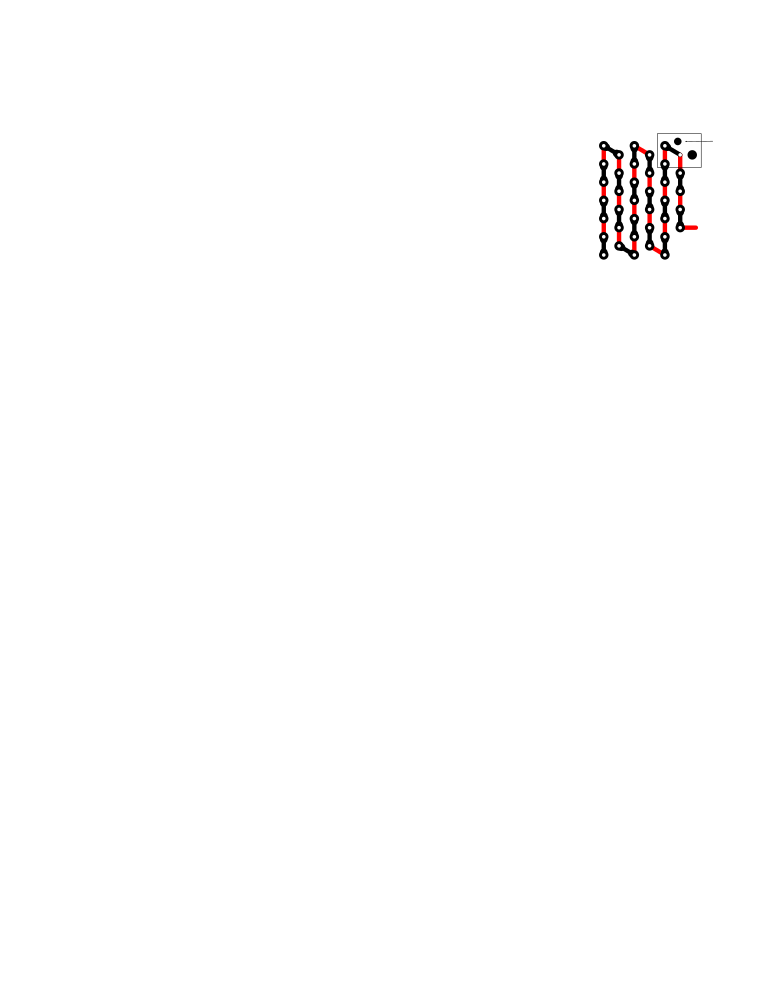
Attached is an exploded view of the objects that I am trying to locate and delete in the complex structure. I am currently exploring trying to search within the object path to locate the different circular objects. So far there does not seem to be an eligant solution to locating circular objects using the search dialog (Ctrl -F) having the same style syntax. Again, thanks for your assistance.
- Attachments
-
- Temp3.svg
- (53.56 KiB) Downloaded 156 times
Re: Finding Different Objects Having The Same Style
So you want to find an object that:
has exactly the same style and the same shape as several other objects,
but is a different size,
or is also the same size but is in a different location,
but you don't know the id#,
and you have not given it a label,
and your file is not organized into groups or layers that you could open and then step through using the TAB key (you know how to do this, right?),
and you have too many objects to use the TAB key to step through all of them one by one,
and you did not create these objects in any particular order so you can't select another object just ahead or behind the object in creation order and use TAB and shift-TAB to locate it,
and you cannot select with the several objects on-canvas including your sought object as the only one with its style, and then use the find dialog to 'select by style' within the selection?
If all this is correct, then there is no way to do it AFAIK.
has exactly the same style and the same shape as several other objects,
but is a different size,
or is also the same size but is in a different location,
but you don't know the id#,
and you have not given it a label,
and your file is not organized into groups or layers that you could open and then step through using the TAB key (you know how to do this, right?),
and you have too many objects to use the TAB key to step through all of them one by one,
and you did not create these objects in any particular order so you can't select another object just ahead or behind the object in creation order and use TAB and shift-TAB to locate it,
and you cannot select with the
several objects on-canvas including your sought object as the only one with its style, and then use the find dialog to 'select by style' within the selection? If all this is correct, then there is no way to do it AFAIK.
Your mind is what you think it is.
Re: Finding Different Objects Having The Same Style
Do you want to delete all the small black circles and all the large black circles? Or approx half of each?
Deleting all would be fairly easy, using the steps I outlined earlier. But deleting half of them would be just about the worst case scenario. Or, more properly, selecting them would be. You'd pretty much have to select one by one, or in very small groups.
Deleting all would be fairly easy, using the steps I outlined earlier. But deleting half of them would be just about the worst case scenario. Or, more properly, selecting them would be. You'd pretty much have to select one by one, or in very small groups.
Basics - Help menu > Tutorials
Manual - Inkscape: Guide to a Vector Drawing Program
Inkscape Community - Inkscape FAQ - Gallery
Inkscape for Cutting Design
Manual - Inkscape: Guide to a Vector Drawing Program
Inkscape Community - Inkscape FAQ - Gallery
Inkscape for Cutting Design
Re: Finding Different Objects Having The Same Style
I want to locate and delete only the small circular objects at once. Based on all the replys selectively finding them all is currently not possible other than the method you described. I am looking into editing the file external to inkscape to either add a style attribute that inkscape can find or just delete them prior to inkscape. Thank for your assistance.
Re: Finding Different Objects Having The Same Style
keithk wrote:I want to locate and delete only the small circular objects at once.
Thanks for clearly stating this (kind of clearly, I am still assuming you do mean all the small black objects and not the white ones)!
Knowing which objects you want deleted, I was able to select and delete all 1036 of the small circular black objects in 2 passes, using the search strings "0,1.6" and "0,1.5".
2 passes were needed because obviously the objects were not exactly congruent.
AFAIK Inkscape's search does not allow the use of either/or searches or wildcard operators (I probably just don't know the syntax); any word processor/text editor application would allow you to do this in one step.
Your mind is what you think it is.
Re: Finding Different Objects Having The Same Style
I loaded the svg file in Textpad and searched the strings you indicated. By marking and deleting all the strings the entire path was deleted eliminating all the small pads at once. Saving the file and reopening the svg file in inkscape confirmed all of the correct objects were gone. The entire Texpad editing took about 10 seconds. Your technique has saved me a ton of manually editing. Thank you for your assistance with a very eligant solution.
Re: Finding Different Objects Having The Same Style
I am terribly sorry. I should have mentioned earlier that your version of Inkscape may not let you find objects using the find dialog! I am using a development build (Inkscape 0.48+devel r11789, kindly made available by Uwe scholer - click to go to his download site) in which the search function is more robust. What version are you using? 0.48.3 and below will not find objects using the method i am describing.
I am not using an external editor for anything. Here is what I did, using your full size (temp2.svg) file.
I looked at three randomly selected objects-to-be-deleted, one at a time, from the top, middle and bottom of the drawing, in the xml editor (ctrl-shift-X). (Being lazy I did not compare the d strings all the way to the end, i might have found something in common...)
I opened the search dialog (Ctrl-F).
I pasted the string "0,1.5" into the find box and selected the 'properties' radio button. ('Text' will only look through text objects). 518 objects were selected. I deleted them by switching focus to the main window and pressing delete.
I repeated this for the string "0,1.6". 518 more objects were selected and thusly deleted.
This saves a lot of time over doing it in an external editor, and although it sounds as if you are able to quickly select the entire string in textpad doing it in inkscape automatically selects the object from the search dialog. Once you know the strings i estimate the whole process should take about 0.58 sec, a savings of 9.42 sec over an external editor
Hope this explains sufficiently.
I am not using an external editor for anything. Here is what I did, using your full size (temp2.svg) file.
I looked at three randomly selected objects-to-be-deleted, one at a time, from the top, middle and bottom of the drawing, in the xml editor (ctrl-shift-X). (Being lazy I did not compare the d strings all the way to the end, i might have found something in common...)
I opened the search dialog (Ctrl-F).
I pasted the string "0,1.5" into the find box and selected the 'properties' radio button. ('Text' will only look through text objects). 518 objects were selected. I deleted them by switching focus to the main window and pressing delete.
I repeated this for the string "0,1.6". 518 more objects were selected and thusly deleted.
This saves a lot of time over doing it in an external editor, and although it sounds as if you are able to quickly select the entire string in textpad doing it in inkscape automatically selects the object from the search dialog. Once you know the strings i estimate the whole process should take about 0.58 sec, a savings of 9.42 sec over an external editor
Hope this explains sufficiently.
Last edited by druban on Wed Oct 31, 2012 5:26 pm, edited 2 times in total.
Your mind is what you think it is.
Re: Finding Different Objects Having The Same Style
I am using inkscape version 0.48.2 r9819. You are right my version will not find the items. As inkscape releases updated versions to the public I hope the text find improvements that you have will be included. Again, thank you for your assistance.