 This is a read-only archive of the inkscapeforum.com site. You can search for info here or post new questions and comments at
 Hi Guys! need your help!
My Inkspace version is 0.48
The file I am working at is .ai
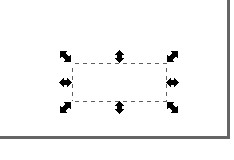
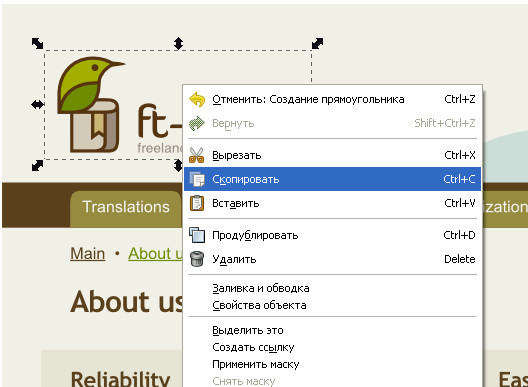
When I select an object (picture 1), copy it and paste into another file, I just get a selection in white (picture 2). Plz have a look at the pictures attached.
What am I doing wrong?
unable copy and paste (I read FAQ)
unable copy and paste (I read FAQ)
- Attachments
-
- Picture 2
- pic2.jpg (4.15 KiB) Viewed 839 times
-
- Picture 1
- pic1.jpg (42.19 KiB) Viewed 839 times
Re: unable copy and paste (I read FAQ)
Hello there!
It is hard to tell from that look. Ai=pdf files can produce lots of weird stuff, but a simple question before further guessing, is the opacity set to 100%?
If yes an example of what your object might be: a masked group of a rectangle, that has a pattern fill of an embedded png -belive me, seen some worse.
And, the offsetting is different in the pasted object, as it is not in the exact location as it was in the original.
So if such is the case, you would need to release the masking-grouping, and convert the pattern to object, then you would have the right part.
Also if that was a raster in the original, you are facing the problems of anti-aliasing but don't run that forward.
Can we look at the original ai file you work with?
It is hard to tell from that look. Ai=pdf files can produce lots of weird stuff, but a simple question before further guessing, is the opacity set to 100%?
If yes an example of what your object might be: a masked group of a rectangle, that has a pattern fill of an embedded png -belive me, seen some worse.
And, the offsetting is different in the pasted object, as it is not in the exact location as it was in the original.
So if such is the case, you would need to release the masking-grouping, and convert the pattern to object, then you would have the right part.
Also if that was a raster in the original, you are facing the problems of anti-aliasing but don't run that forward.
Can we look at the original ai file you work with?
Re: unable copy and paste (I read FAQ)
Does copy/paste works with other shapes ?
Some clipboardmanagers (parcellite) don't work well with inkscape.
Some clipboardmanagers (parcellite) don't work well with inkscape.