 This is a read-only archive of the inkscapeforum.com site. You can search for info here or post new questions and comments at
 Hi Inkscape,
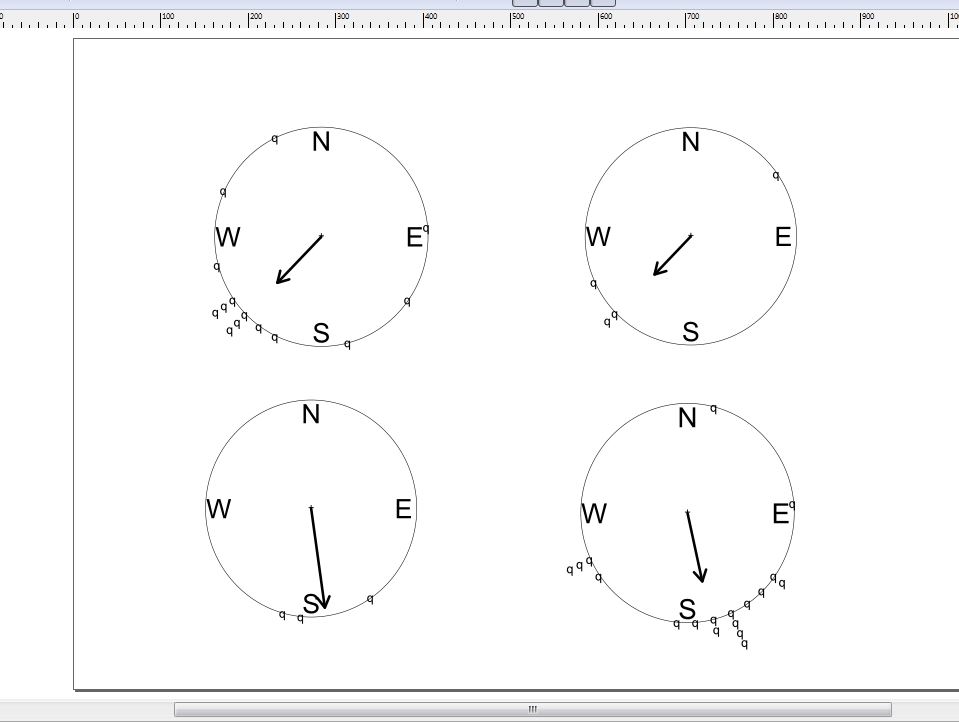
My adviser is out of town for a week so I am attempting to learn a new tool to jazz up some figures while I am less supervised; I choose Inkscape as my project! I read through most of the manual and immediately ran into an issue: when I import the PDFs I exported from R, the closed and filled circles turn into lowercase q's. So:
1) Is there an easy way to switch all of the q's into circles?
2) I realize that I could probably just place circles over each of the q's and then remove the q's, but I am concerned that this is going to be a recurring error, and if anyone has a faster/efficient method for switching text into circles or other objects, that would be fantastic.
Attached:
1) [rn.pdf] sample pdf from one panel
2) [circles_to_Qs.JPG] screenshot of how it looks in Inkscape where the circles became q's (I will put 4 panels together in final)
Thank you so much for your time
Cheers-Andy
PDF circles import as q's
PDF circles import as q's
- Attachments
-
- circles_to_Qs.JPG (53.47 KiB) Viewed 932 times
-
- rn.pdf
- (10.31 KiB) Downloaded 164 times
Re: PDF circles import as q's
It looks like those are not circles. Those are 'q' character in ZapfDingbats (or alike) font.
What is 'R'. In the export options of 'R' could you export font as path or something ? Could you replace ZapfDingbats with something more common (Dingbats) before exporting ?
Is ZapfDingbats font installed on the computer running inkscape ?
Does it work if you install(*) this font ?
* = Pay attention to licensing issue with this font.
What is 'R'. In the export options of 'R' could you export font as path or something ? Could you replace ZapfDingbats with something more common (Dingbats) before exporting ?
Is ZapfDingbats font installed on the computer running inkscape ?
Does it work if you install(*) this font ?
* = Pay attention to licensing issue with this font.
Last edited by v1nce on Thu Jul 04, 2013 7:17 am, edited 1 time in total.
Re: PDF circles import as q's
Welcome aboard!
That's a weird one.
Those circles should turn to lowercase l-s as copied/pasted from the pdf.
Opened the pdf with a notepad, it shows clearly that they were made with the font ZapfDingbats.
As seen here, l should appear http://www.fontpalace.com/font-details/ZapfDingbats/
Download that font, and install it on your system, then inkscape should hopefully import the pdf right.
That's a weird one.
Those circles should turn to lowercase l-s as copied/pasted from the pdf.
Opened the pdf with a notepad, it shows clearly that they were made with the font ZapfDingbats.
As seen here, l should appear http://www.fontpalace.com/font-details/ZapfDingbats/
Download that font, and install it on your system, then inkscape should hopefully import the pdf right.