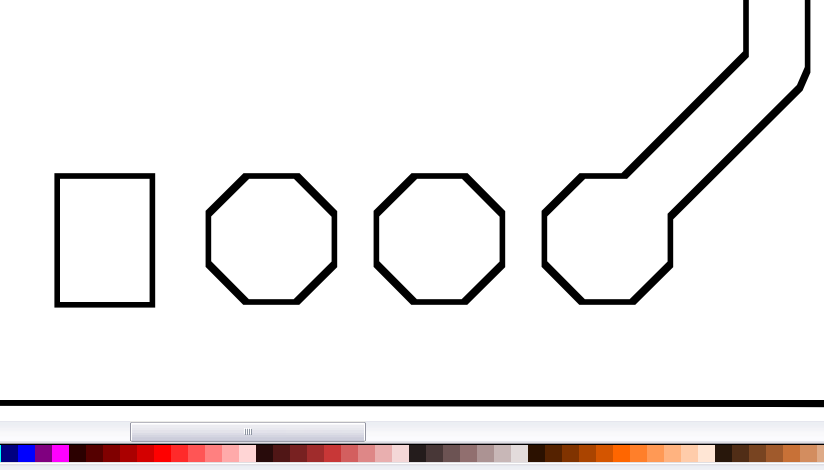
I happened across Inkscape while looking for a better way to create hpgl files for my PCB engraver. While Inkscape is hands down the best so far, it does have a peculiar quirk, (for lack of a better explanation) it seems to be tracing my traces.
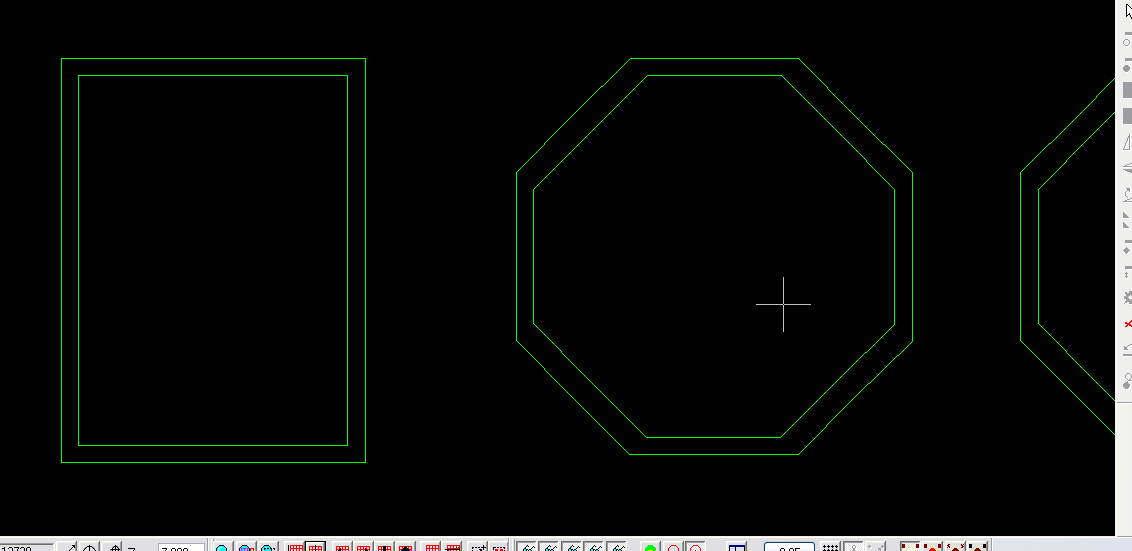
The output hpgl file is made up entirely of dual lines, effectively outlining, my outlines. While the two dual paths are nothing more than redundant workflow (for now), I would like to figure out what is causing this, as the output from this program is far superior to anything I have tried yet - (operator error?)
Before anyone asks about the ViewMate shot - yes, those are two individual pen paths around each polygon, with their own X, Y coords, and pen up/pen down commands in the plotter file.
Thanks in advance for any help!
hpgl output of traced bitmap
Re: hpgl output of traced bitmap
Did you set only two colours for the auto-trace?
The result after the tracing should look exactly like on your first image with right settings.
And probably it would result in good hpgl files.
The result after the tracing should look exactly like on your first image with right settings.
And probably it would result in good hpgl files.
Re: hpgl output of traced bitmap
In the time it took for this topic to be moderated and posted, I had found a good explanation in a tutorial. http://inkscape.org/doc/tracing/tutorial-tracing.html (look for the penguins). I was using Edge Detection, instead of Brightness - the output in my first post is how it's supposed to work (operator error).
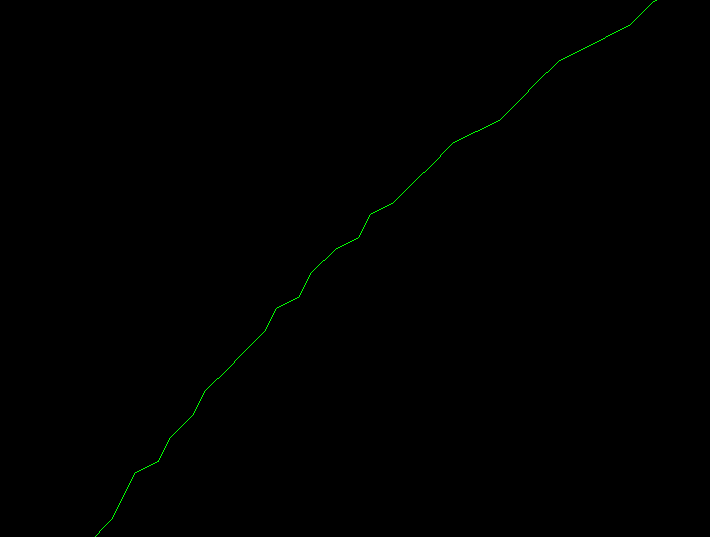
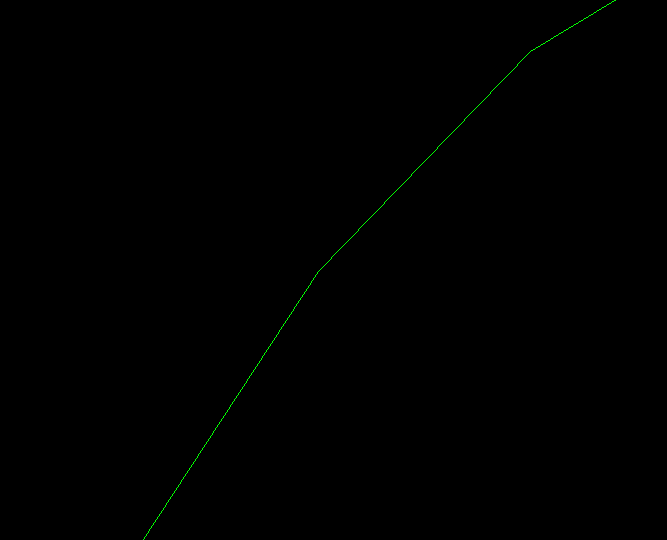
After switching to Brightness, it worked like I wanted, and as you mentioned. (Edge Detection always produced an outlined path). Also, saving as a *.plt file instead of a *.hpgl file, rendered a much smoother path, with fewer nodes and a smaller file size.
While at a distance, they both look smooth, it is obvious when zoomed in, that "Save As... HPGL" takes a much more "jerky" approach. Which is odd, because the output file is essentially the same format, just a different extension. Before discovering that I could use plt files (and that they looked better), I had chosen to avoid curves altogether, for the sake of smoothness. (Now on to tackle scaling.)
After switching to Brightness, it worked like I wanted, and as you mentioned. (Edge Detection always produced an outlined path). Also, saving as a *.plt file instead of a *.hpgl file, rendered a much smoother path, with fewer nodes and a smaller file size.
While at a distance, they both look smooth, it is obvious when zoomed in, that "Save As... HPGL" takes a much more "jerky" approach. Which is odd, because the output file is essentially the same format, just a different extension. Before discovering that I could use plt files (and that they looked better), I had chosen to avoid curves altogether, for the sake of smoothness. (Now on to tackle scaling.)