 This is a read-only archive of the inkscapeforum.com site. You can search for info here or post new questions and comments at
 Hello,
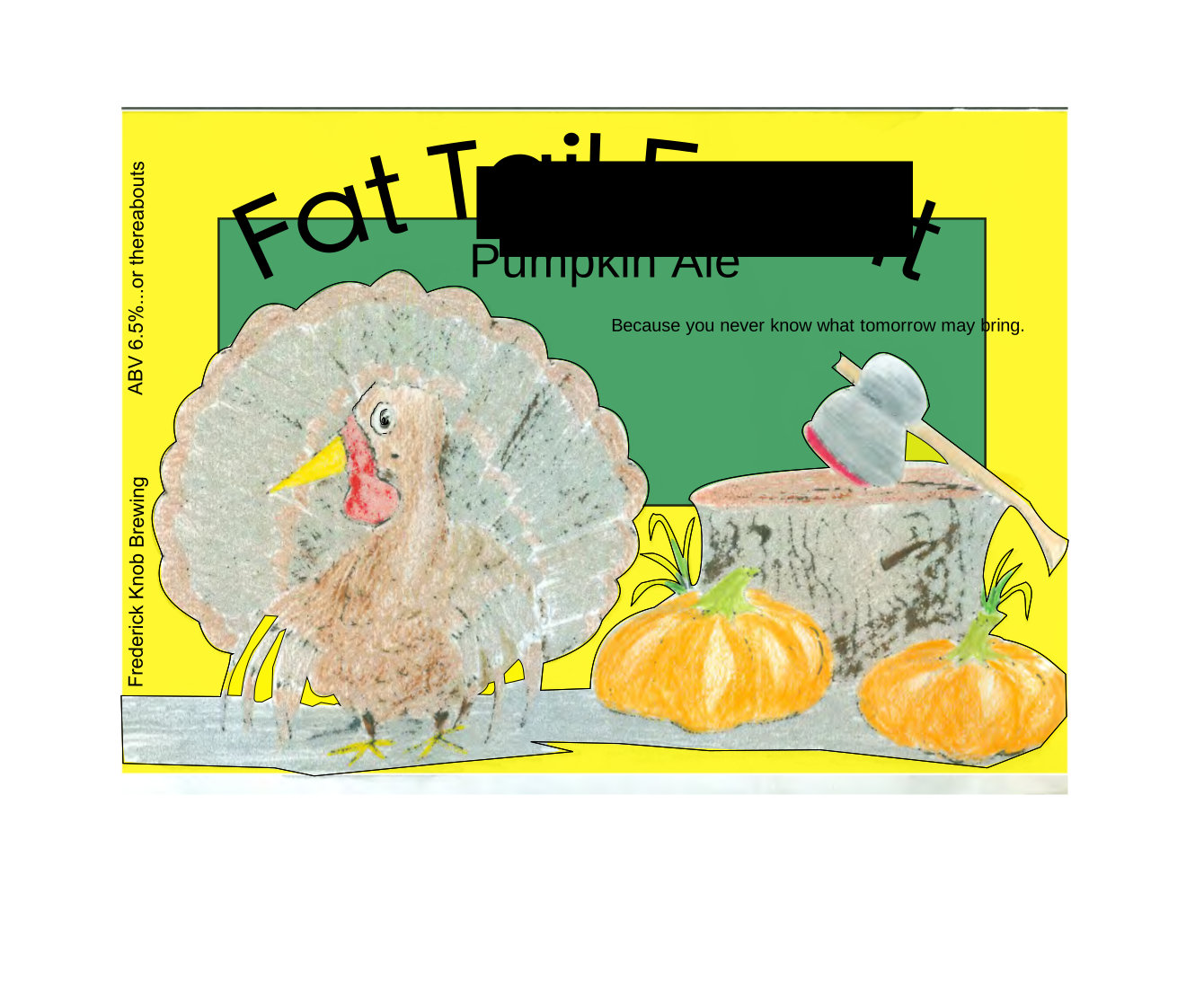
Newbie here. I am trying to export my image as a bit map, but part of the text, in the middle of the page, is missing. I've poked around, thinking maybe I drew a random box or shape in there that might be blocking something, but can't find anything. Also, eventually I'd like to be able to save as a pdf. But when I do that directly from the svg file, the colors of the drawing (I imported a drawing I did in colored pencil) get all messed up. I was hoping to avoid this by exporting to .png. and then converting from there, but now I've run into this text problem. Any help would be most appreciated.
Link to png https://www.dropbox.com/s/ibtv38cr8d3pg ... ailsvg.png
Link to svg https://www.dropbox.com/s/z61el51zka5e3 ... ailsvg.svg
Thanks!
Block of text is missing when I export to bitmap


Re: Block of text is missing when I export to bitmap
I've sometimes had PNG exports with parts missing. Usually exporting it again does the trick - export once, leave the export dialog open, check the exported file and if it's wrong export again.
Otherwise you could export the text layer separately and re-combine them in a bitmap editor or DTP program (though in the latter case you might prefer to re-create the text in the DTP program anyway).
Otherwise you could export the text layer separately and re-combine them in a bitmap editor or DTP program (though in the latter case you might prefer to re-create the text in the DTP program anyway).
Re: Block of text is missing when I export to bitmap
Welcome aboard!
Turned texts to paths and added an opaque white rectangle to the background, this can be exported "fine"
There are other thing that could be improved as well though.
Actually that cannot be rendered right by browsers in the current form.

Turned texts to paths and added an opaque white rectangle to the background, this can be exported "fine"
There are other thing that could be improved as well though.
Actually that cannot be rendered right by browsers in the current form.
Last edited by Lazur URH on Tue Nov 26, 2013 12:23 am, edited 1 time in total.
-
tylerdurden
- Posts: 2344
- Joined: Sun Apr 14, 2013 12:04 pm
- Location: Michigan, USA
Re: Block of text is missing when I export to bitmap
^^Agree...
There are a lot of extraneous bits that need cleaning up. Generally, "flowed" text is not going to render well in many conversions.
I don't know why the raster/image elements are scaling outside of Inkscape, but will explore further.
There are a lot of extraneous bits that need cleaning up. Generally, "flowed" text is not going to render well in many conversions.
I don't know why the raster/image elements are scaling outside of Inkscape, but will explore further.
Have a nice day.
I'm using Inkscape 0.92.2 (5c3e80d, 2017-08-06), 64 bit win8.1
The Inkscape manual has lots of helpful info! http://tavmjong.free.fr/INKSCAPE/MANUAL/html/
I'm using Inkscape 0.92.2 (5c3e80d, 2017-08-06), 64 bit win8.1
The Inkscape manual has lots of helpful info! http://tavmjong.free.fr/INKSCAPE/MANUAL/html/
-
tylerdurden
- Posts: 2344
- Joined: Sun Apr 14, 2013 12:04 pm
- Location: Michigan, USA
Re: Block of text is missing when I export to bitmap
I exported one embedded image and re-imported. It holds scale, so I would get the colors right in GIMP, then re-import the image to Inkscape, then mask it or knockout the background.
YMMV
Regards,
TD
YMMV
Regards,
TD
Have a nice day.
I'm using Inkscape 0.92.2 (5c3e80d, 2017-08-06), 64 bit win8.1
The Inkscape manual has lots of helpful info! http://tavmjong.free.fr/INKSCAPE/MANUAL/html/
I'm using Inkscape 0.92.2 (5c3e80d, 2017-08-06), 64 bit win8.1
The Inkscape manual has lots of helpful info! http://tavmjong.free.fr/INKSCAPE/MANUAL/html/
Re: Block of text is missing when I export to bitmap
Wow, thanks for all of the responses guys! I did sort of a combo of all your advice. I just redid the text layer, and that seemed to export ok for some reason. Then I tweaked the colors in GIMP. This was also my first time playing around with that program. Then I was able to convert it into a pdf from GIMP. Looks pretty good!