snap target heirarchy? also unexpected target

Post questions on how to use or achieve an effect in Inkscape.
User avatar
brynn
Posts: 10309
Joined: Wed Sep 26, 2007 4:34 pm
Location: western USA
Contact:

snap target heirarchy? also unexpected target

Postby brynn » Mon Nov 12, 2012 4:40 am

Hi Friends,
If multiple snap targets are available, is there a heirarchy for which target receives the snapped element? If so, could someone list the targets in order of snap preference, please? (Or link to it?) Or does it always snap to the closest target?

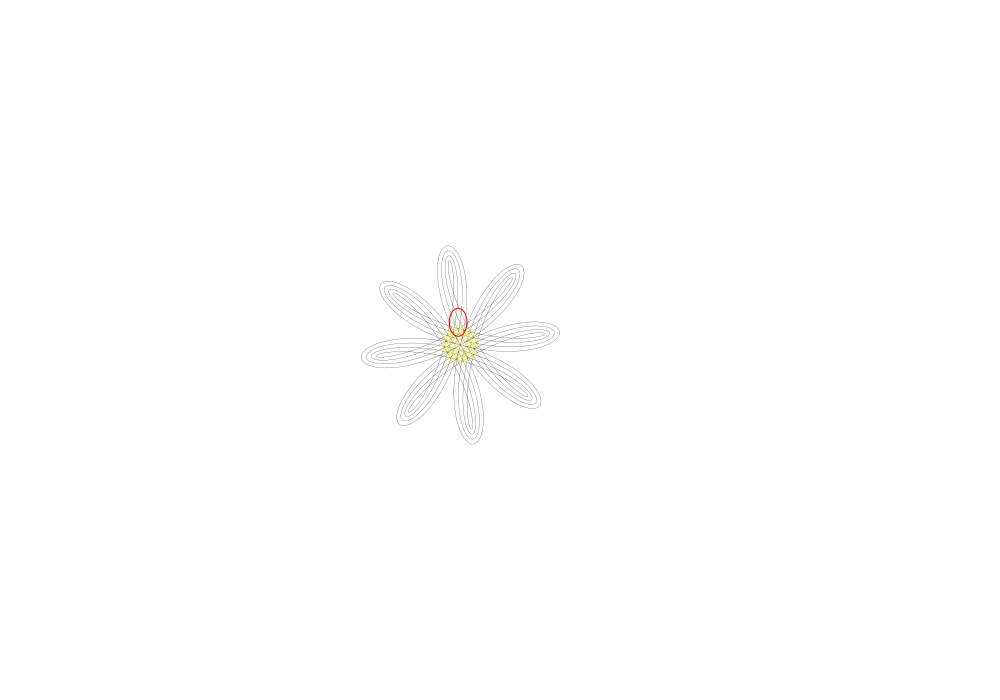
I'll attach an SVG file, in case this needs further investigation. Here's a screenshot for quick reference:

Image

And this is still with version 0.48.1 on Win7HomeP, 64-bit. (I do have 0.48.2 now, but haven't tested this in that version yet.)
I managed to capture the tiny snap text to show the problem at node #1, together with the snap bar settings. I'm curious why it's possible to snap to the path intersection, when I don't have path intersections button engaged.

I can't exactly capture this in a screenshot, but curiously, if I engage Snap to Paths and Snap to Path Intersections buttons, I cannot snap to the path intersection at node #1 (only to the path). (Note that nodes #2 and 3 turned out not to be necessary, but I'm too lazy to make another screenshot.)

I do know (learned a while ago) that you can't snap to the intersection where a path crosses over itself. You have to have 2 different paths intersecting, in order to be able to snap to it. So unless that's changed, these being paths made with Spirograph extension, the intersection at node #1 IS a path crossing over itself. So it might be understandable that it doesn't snap to intersection with Snap to Path Intersections engaged. But that makes it even more confusing why it does snap to the intersection without the Intersection button engaged.

Please note that I don't need a technical explanation. Mostly I'm posting in case it might be a bug (and also, because I've been wondering if there is a heirarchy to the snap targets). But a general explanation would be helpful. I searched, but didn't find any similar bugs.

Thanks for your help :D
Attachments
spiro-pens 4.svg
(46.7 KiB) Downloaded 307 times

dvlierop
Posts: 139
Joined: Sat Sep 08, 2007 4:25 am

Re: snap target heirarchy? also unexpected target

Postby dvlierop » Tue Nov 27, 2012 7:31 am

Hi Brynn,

Sorry for not responding earlier, I just hadn't visited the forum recently. You can always send me a direct message if there's something snapping related!

A quick test learns me that in recent nightly builds it doesn't snap to intersections if the button hasn't been checked, so that's off the table ;-). It now also snaps to the (stationary) intersections of the path that the node belongs to.
You're dragging a single node, right? In that case there's only one "snap source" and things become easy: it will just snap to the closest "snap target". In case you're dragging or transforming a selection of nodes, things become less straight forward. It will either try to snap the node closest to the pointer or it will try to snap the node leading to the closest transformation. Have a look at the snapping preferences if you want more control. BTW, In the nightly builds (and upcoming v0.49) you can also use the tab key to cycle through the multiple snap options.

Diederik

User avatar
brynn
Posts: 10309
Joined: Wed Sep 26, 2007 4:34 pm
Location: western USA
Contact:

Re: snap target heirarchy? also unexpected target

Postby brynn » Wed Nov 28, 2012 3:37 am

Hi Diederik,
No worries, it wasn't a pressing issue. I'm glad to hear about the recent advancements of the snap feature :D

I have been frustrated about multiple snap targets, though. For example, if I have snapping to a grid and cusp nodes enabled, and a single source. It seems to always want to snap to the grid, no matter how close is the nearest cusp node. In that situation, it's easy enough to deselect the grid snap button.

But in other cases, I have to zoom to solve the problem. For example, let's say we're snapping a single source to cusp nodes. There's a cusp node just 5 pixels away, and to which I want to snap. But Inkscape wants to snap to another node that's say 20 pixels away. If I zoom in a bit, I can then snap to the closest one. (Or sometimes it's the other way around, where it wants to snap the the closest one, and I have to zoom to get it to snap to the farthest one.)

Looking in Inks Prefs > Snapping, I see the Weight Factor. But I don't understand the explanation provided by the tool tip. Is it the weight factor that will solve this problem so that zooming isn't necessary? If so, how is "closest transformation" different from "closest to pointer"?

Thanks :D

dvlierop
Posts: 139
Joined: Sat Sep 08, 2007 4:25 am

Re: snap target heirarchy? also unexpected target

Postby dvlierop » Wed Nov 28, 2012 5:29 am

Hi Brynn,

With respect to grid snapping: by default "always snap" is enabled for grids, see the snap tab in the document properties. This is because when people use a grid, they usually have a strong preference to snap to it too, over snapping to other stuff. If you don't like this behavior then you can specify a snap distance for grids instead, using the slider directly below the "always snap" toggle.

There are some other rules that Inkscape uses for determining the "optimal" snap. For example, a fully constrained snap (to a point) is preferred over a partly constrained snap (to a line). Therefore, if it finds a node or intersection within snapping range then it will snap to that instead of snapping to the line. It "always snap" has been enabled for grids/guides/objects, then this will overrule any other snap target which doesn't have this enabled, and intersections will be overruled by nodes if these are coincident... to name a few rules ;-)

If "only snap the node closest to the pointer" is enabled, then the weight slider doesn't do anything. In fact, it should be greyed out in such a case so I think we've stumbled across a small bug here. Anyway, in this case only the node in your selection of snap sources that is closest to the pointer will snap. For example, if you're dragging a rectangle by grabbing it by one of it's corners then only this corner node will snap. If this toggle is off however, then any of the corners of the rectangle might snap. Inkscape will decide which corner will snap, such that the rectangle will jump as little as possible, i.e. the one that leads to the smallest transformation. When dragging a rectangle across a grid, this will then give you the smoothest sweep. Now, the slider allows to specify wether Inkscape should prefer snapping the node closest to the pointer or that it should give the smoothest motion. The disadvantage of the latter is that it can sometimes be hard to notice where the snapping occured, because it can be at a different source node each time.

Hopes this makes sense :-)

Diederik

User avatar
brynn
Posts: 10309
Joined: Wed Sep 26, 2007 4:34 pm
Location: western USA
Contact:

Re: snap target heirarchy? also unexpected target

Postby brynn » Wed Nov 28, 2012 9:36 am

Oooohh, I forgot about the Snap Distances in Doc Props! That probably explains my troubles.

Thanks again Diederik :D


Return to “Help with using Inkscape”